
MCP Explained: How AI Is Learning to Use Your Software
You: How many pairs of the red sneakers do we have left in the Ikeja store?
AI assistant: I'm sorry, I don't have access to your inventory system.
Most businesses using AI today will recognize that reply.
AI assistants can write emails, summarize reports and answer almost any general question. But ask about your business, such as your stock, your customers or last week's sales, and they hit a wall. They can't see the systems where your business actually lives.
So people do the workaround. They export a spreadsheet, copy the numbers into ChatGPT or Claude, ask the question, then copy the answer back out. It works, but it's slow, it's repetitive, and it doesn't scale.
Now picture the same question, with one difference:
You: How many pairs of the red sneakers do we have left in the Ikeja store?
AI assistant: There are 12 pairs left in Ikeja. Want me to check the Lekki store too?
That difference is what MCP makes possible.
What is MCP?
MCP (Model Context Protocol) is an open standard that lets AI assistants connect to software, tools and data in a consistent, secure way.
Anthropic introduced MCP in November 2024 to solve a simple problem. Every AI tool needed its own custom integration for every system it wanted to use. Ten AI tools and ten business systems could mean a hundred separate connections to build and maintain.
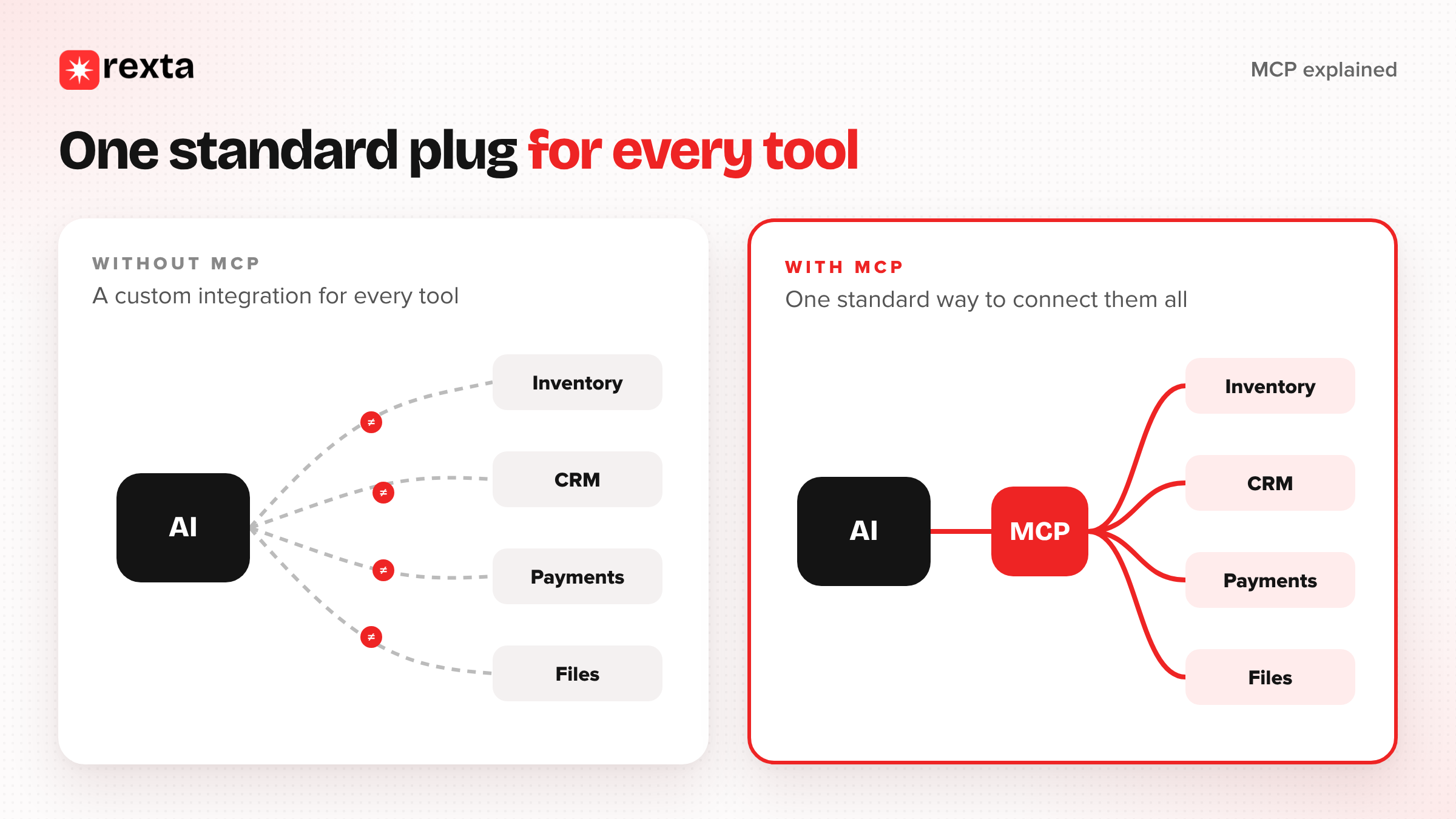
The easiest way to understand MCP is to think about USB-C.
Before USB-C, every device had its own charger and cable. Now one standard port works across phones, laptops and accessories. MCP does the same for AI: one standard way for any AI app to plug into any system.
Why MCP matters now
MCP isn't one company's experiment anymore.
Within a year of launch, it was supported across major AI platforms, including Claude, ChatGPT, Microsoft Copilot, Gemini and Cursor. In December 2025, Anthropic donated MCP to the Agentic AI Foundation, a new body under the Linux Foundation backed by Anthropic, OpenAI, Block, Google, Microsoft, AWS, Cloudflare and Bloomberg.
For a business, that matters for one reason: it's a safer long-term bet. You're not building on a single vendor's private format. You're building on an open standard the whole industry has agreed to support.
How MCP works
You don't need to be technical to understand it. MCP has three parts:
The AI app. This is the assistant you talk to, whether that's Claude, ChatGPT, Copilot or an AI feature inside your own software.
The MCP server. This is the connector. It sits between the AI and your system, and it decides exactly which actions the AI is allowed to take, such as "check stock" or "look up an order".
Your systems. These are where your data already lives: your inventory, CRM, ERP, database or shared files.
When you ask a question, the AI recognises it needs information it doesn't have. It calls the right tool through the MCP server, the server fetches the answer from your system, and the AI replies in plain language.
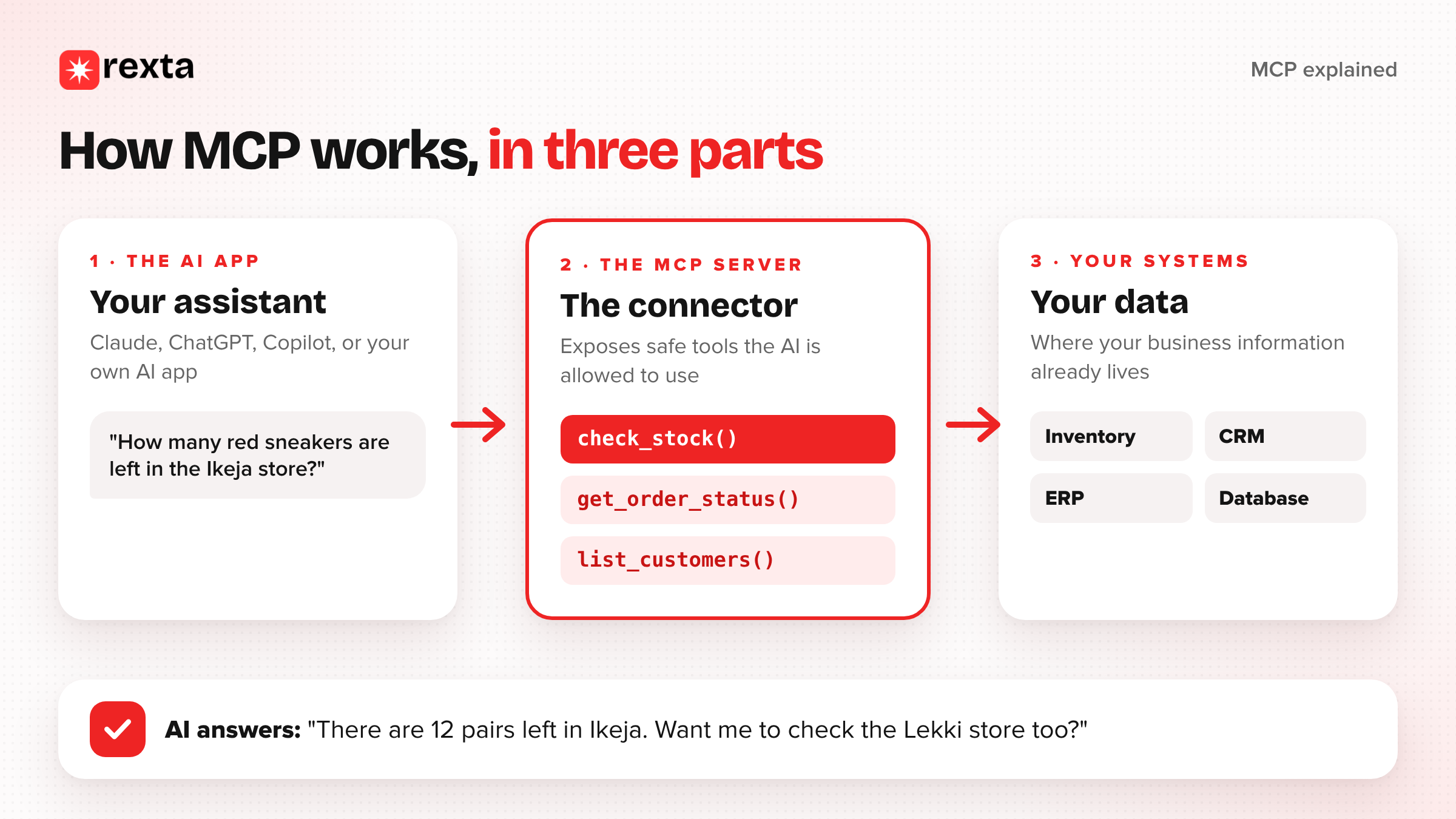
How MCP works in three parts: the AI app, the MCP server, and your systems.
The important part is that the AI never gets open access to everything. It can only use the specific tools you've chosen to give it through the MCP server.
What MCP looks like in a real business
This is where MCP becomes practical. Here's what it could look like for a growing business.
Retail and e-commerce
Your sales team asks, "Which products are running low across all branches?" The AI checks live inventory and replies with a list, instead of someone opening three spreadsheets.
Customer service
A customer asks on WhatsApp, "Where is my order?" The AI looks up the order status in your system and drafts an accurate reply in seconds, rather than a generic "we'll get back to you".
Sales and follow-ups
You ask, "Which customers haven't ordered in the last 60 days?" The AI pulls the list from your CRM and drafts a personalised follow-up message for each one.
Operations and reporting
Your manager asks, "Summarise this week's sales by branch and flag anything unusual." The AI pulls the numbers from your ERP and writes the summary. If you're still deciding on an ERP, our guide to choosing the right ERP for your business is a good place to start.
Internal knowledge
A new staff member asks, "What's our refund policy for damaged items?" The AI answers from your actual company documents, not from guesswork.
In every case, the pattern is the same. Your team asks in plain language, and the AI does the looking up.
Want AI that works with your actual business systems?
We design and build custom AI integrations and MCP connectors that let AI work safely with your inventory, CRM, ERP and internal tools.
Explore AI Integration ServicesWhat MCP is not
MCP is powerful, but it's worth being clear about its limits.
It's not magic. The AI can only use what you deliberately connect. If your data is messy or scattered, MCP won't fix that by itself.
It doesn't replace your software. Your inventory system, CRM and ERP stay exactly where they are. MCP connects AI to them.
It's not "set and forget". Like any integration, it needs proper design, testing and maintenance.
It's not only for big companies. A small business with one well-organised system can benefit just as much as a large one.
Security: keep AI under your control
Connecting AI to real business systems is a serious decision. Done carelessly, it can expose customer data or allow actions nobody intended. Done properly, it's safe, auditable and controlled.
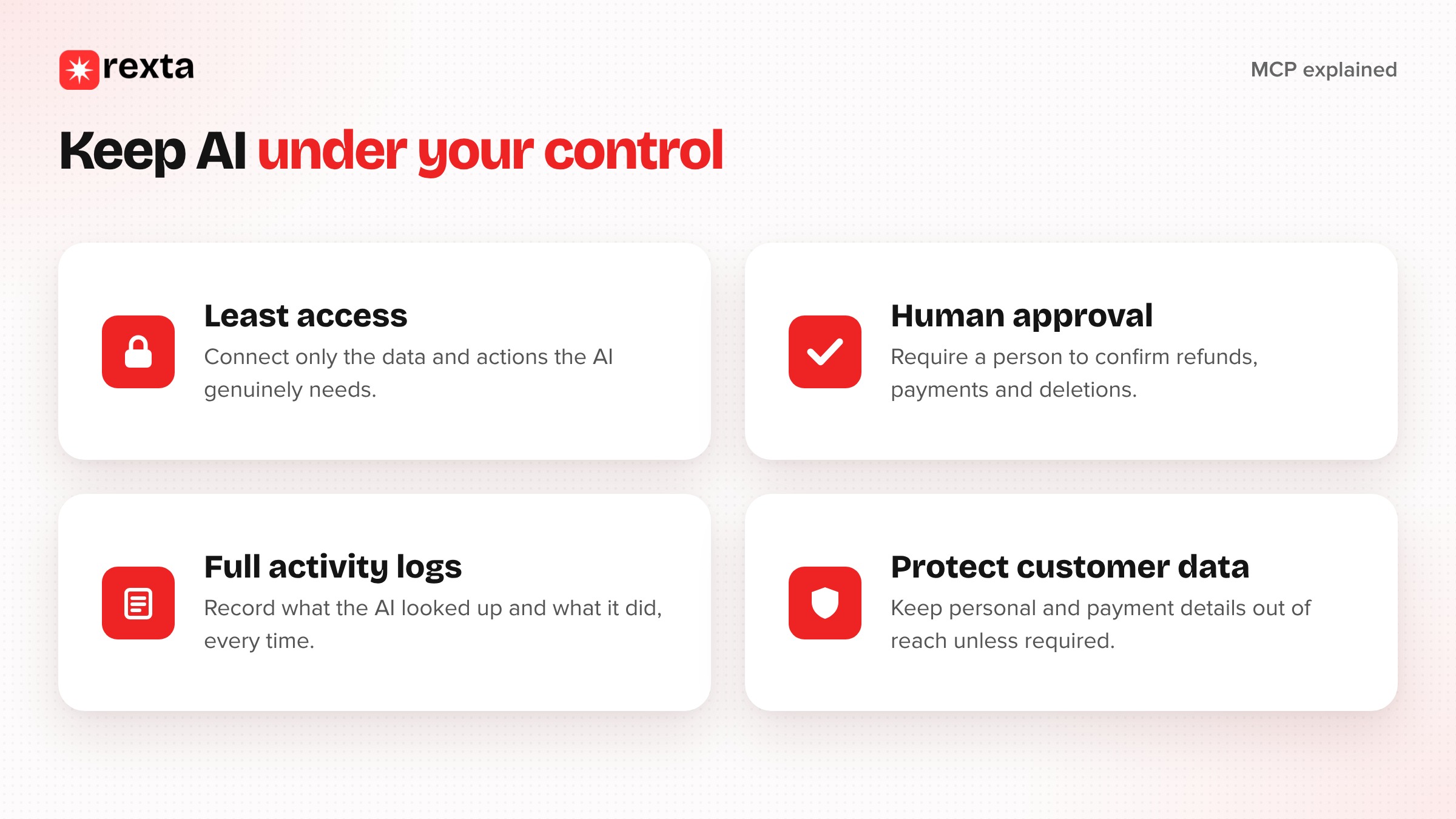
A well-built MCP setup should follow four rules:
Least access. Give the AI only the data and actions it needs. If it only needs to check stock, it shouldn't be able to change prices.
Human approval for sensitive actions. Refunds, payments, deletions and anything that changes money or records should require a person to confirm.
Full activity logs. Record what the AI looked up and what it did, so there's always a clear trail.
Protect customer data. Keep personal details, payment information and sensitive records out of reach unless they're required.
The official MCP documentation covers security in more depth for technical teams. The short version for business owners: start with read-only access, and expand carefully.
Should your business care about MCP yet?
Ask yourself three questions:
Does your team constantly look things up in a system, such as stock levels, order status or customer records, just to answer simple questions?
Do you repeat the same lookup-and-reply tasks every day?
Are you already using AI tools, but copying and pasting data into them?
If you answered yes to any of these, MCP is worth exploring now.
If your business data still lives mostly in notebooks, WhatsApp chats and scattered spreadsheets, start there first. AI works best when it has an organised system to connect to.
How to get started
1. Start with what already exists. Many popular tools already have ready-made MCP connectors. You can browse examples in the official MCP servers repository on GitHub.
2. Pick one small, useful task. Don't try to connect everything at once. Choose one task your team repeats daily, such as checking stock or order status, and start there with read-only access.
3. Build custom connectors for your own systems. If your business runs on custom software, an in-house database or a bespoke ERP, you'll need a custom MCP server. This is where a software team comes in.
4. Measure, then expand. Once the first use case is saving real time, add the next one. Grow access step by step, with security built in from the start.
For your developer: here's a simplified MCP server in TypeScript that gives an AI one safe, read-only tool for checking stock, using the official TypeScript SDK:
import { McpServer } from "@modelcontextprotocol/sdk/server/mcp.js";
import { StdioServerTransport } from "@modelcontextprotocol/sdk/server/stdio.js";
import { z } from "zod";

const server = new McpServer({ name: "inventory", version: "1.0.0" });

server.registerTool(
  "check_stock",
  {
    title: "Check stock",
    description: "Check how many units of a product are in stock at a store",
    inputSchema: { product: z.string(), store: z.string() },
  },
  async ({ product, store }) => {
    const units = await getStock(product, store); // your own database query
    return {
      content: [{ type: "text", text: `${units} units of ${product} at ${store}` }],
    };
  }
);

await server.connect(new StdioServerTransport());
Notice what the AI can't do here: it can't change stock, edit prices or see customer data. It can only check stock. That's least access in practice.
Ready to put AI to work in your business?
Tell us which task your team repeats every day, and we'll show you how AI can handle it safely. Get started today!
Get StartedFinal thoughts
For the past few years, AI has mostly been something you talk to. MCP is what turns it into something that can work with your business: checking, looking up, summarising and acting within limits you control.
It's still early, and the businesses that benefit most won't be the ones that connect everything overnight. They'll be the ones that start with one useful task, build it properly, and grow from there.
If you're curious how AI is changing the way software itself is built, read our piece on the SDLC in the AI era.
Frequently Asked Questions
What does MCP stand for?
MCP stands for Model Context Protocol. It's an open standard that lets AI assistants connect to external software, tools and data in a consistent way.
Who created MCP?
Anthropic, the company behind Claude, introduced MCP in November 2024. In December 2025, it was donated to the Agentic AI Foundation under the Linux Foundation, so it's now governed as a neutral, open-source project.
Does MCP only work with Claude?
No. MCP is supported across many AI platforms, including ChatGPT, Microsoft Copilot, Gemini and developer tools like Cursor. That's one of its biggest advantages.
Is MCP safe for my business data?
It can be, if it's built properly. A secure MCP setup gives the AI only the access it needs, requires human approval for sensitive actions, logs everything the AI does and protects customer data.
Do I need to replace my current software to use MCP?
No. MCP connects AI to the systems you already use. Your inventory, CRM or ERP stays in place.
Can a small business use MCP?
Yes. You don't need to be a large company. If you have at least one organised system your team relies on, you can start with a single, small use case.
How much does it cost to set up MCP?
It depends on what you're connecting. Using a ready-made connector for a popular tool can be quick and inexpensive. Connecting custom or in-house systems requires development work. The best approach is to start with one use case and expand.
What's the difference between MCP and a regular API?
An API is how software systems talk to each other. MCP is a standard layer built specifically for AI. It describes which tools are available and how an AI should use them, so any MCP-compatible AI app can use the same connector without a custom integration each time.
Reactions
Stay in the loop
Get notified when we publish a new blog post. No spam, just insights and updates from the Rexta Technologies team.
Related Posts
Is Your Website Ready for Black Friday?
Black Friday can bring more visitors and potential customers to your website. Use this practical checklist to review your website's speed, mobile experience, checkout, security, and readiness for increased traffic.
23 Nov 2026

ERP for Business Efficiency: What It Does and How to Choose the Right One
Discover how ERP systems connect business operations, reduce manual work, and improve efficiency. Learn what to look for when choosing between an off-the-shelf, customized, or bespoke ERP solution.
16 Nov 2026
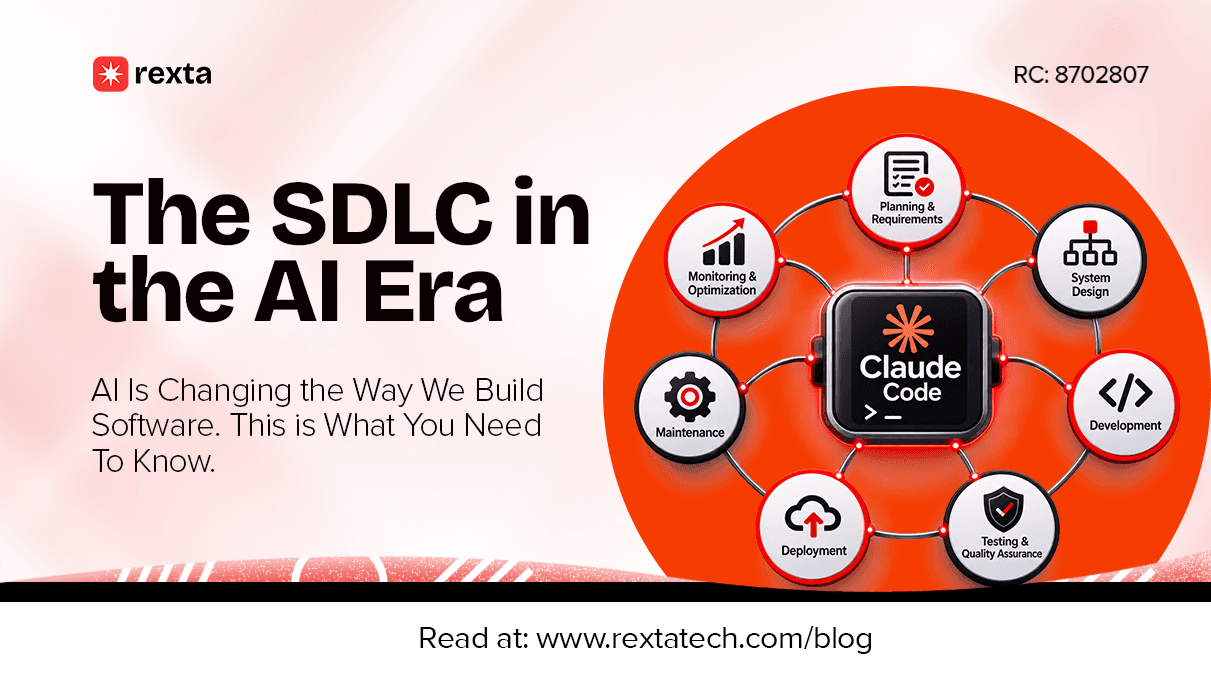
The SDLC in the AI Era: How AI Is Changing the Way We Build Software
Explore how AI is changing software planning, design, coding, testing, deployment, and maintenance, and what developers and businesses need to understand.
13 Nov 2026

Your MVP Should Embarrass You a Little: The Right Way to Scope Your Product
Learn what makes a minimum viable product, how to avoid scope creep, choose the right features for your first release, and use early user feedback to build a better product.
13 Nov 2026